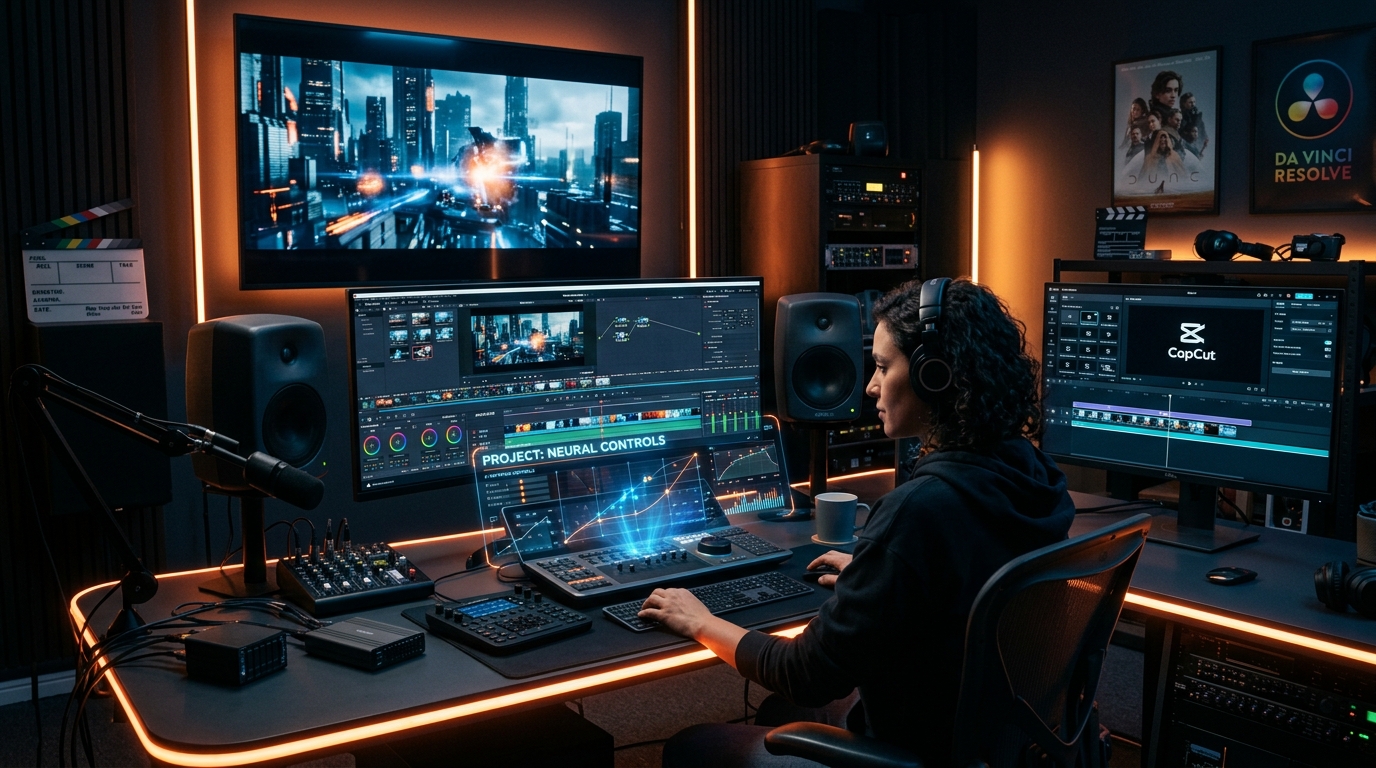
Generative video has reached cinematic 4K physics fidelity in 2026, led by Runway Gen-3 Alpha, Kling AI 1.5, Luma Dream Machine 2, and Hailuo Minimax, delivering photorealistic motion, camera control, and free daily generation tiers.
Quick Facts & 10-Tool Comparison Matrix
| Tool / Platform | Video Resolution | Max Clip Length | Verified 2026 Pricing | Free Tier Allowance | Watermark-Free Export? | Rating |
|---|---|---|---|---|---|---|
| Runway Gen-3 Alpha | 1080p / 4K Upscale | 10 seconds | $15/mo (Standard) / $35/mo (Pro) | Yes (125 One-Time Credits) | Yes (Paid tiers) | 9.9/10 |
| Kling AI (1.5) | 1080p Cinematic | 10 seconds (Extendable) | $10/mo (Standard) / $37/mo (Pro) | Yes (66 Daily Free Credits) | Yes (Paid tiers) | 9.8/10 |
| Luma Dream Machine 2 | 1080p HDR | 5 – 9 seconds | $9.99/mo (Lite) / $29.99/mo (Standard) | Yes (30 Generations/Month) | Yes (Paid tiers) | 9.8/10 |
| Hailuo AI (Minimax) | 1080p Natural Motion | 6 seconds | $10/mo (Starter) | Yes (Daily Free Generations) | Yes (Paid tiers) | 9.7/10 |
| Pika 2.0 | 1080p + Sound Effects | 4 – 10 seconds | $10/mo (Standard) / $35/mo (Pro) | Yes (30 Daily Credits) | Yes (Paid tiers) | 9.5/10 |
| CapCut AI Video | 1080p / 4K | Full Timeline | Free / $9.99/mo (CapCut Pro) | Yes (Free Core Editor) | Yes (Free 1080p export) | 9.7/10 |
| InVideo AI | 1080p Script-to-Video | Up to 15 minutes | $25/mo (Plus) / $60/mo (Max) | Yes (10 Mins/Week Free) | Yes (Paid tiers) | 9.4/10 |
| HeyGen (Avatars) | 1080p / 4K Talking Head | 5 – 20 minutes | $29/mo (Creator) / $89/mo (Team) | Yes (1 Free Credit/Month) | Yes (Paid tiers) | 9.8/10 |
| OpenAI Sora | 1080p Narrative Video | 20 seconds | Bundled with ChatGPT Pro ($200/mo) | No | Yes | 9.6/10 |
| Wan 2.1 (Alibaba Open) | 1080p Open-Weights | 5 seconds | $0.00 (Open Source Apache 2.0) | Yes (100% Free Local) | Yes (100% Watermark-Free) | 9.8/10 |
What is This Topic?
Generating video with artificial intelligence is the most computationally demanding frontier of generative media. Rather than generating a single static image, AI video models must synthesize 24 to 60 photorealistic frames per second while preserving spatio-temporal consistency—ensuring characters don't morph into different people, lighting doesn't flicker, and physics (gravity, fluid dynamics, fabric movement) behaves naturally.
In 2026, generative video tools have transitioned from distorted 4-second morphing GIFs into full director-grade virtual production suites. Filmmakers, digital agencies, and social media creators can specify exact 3D camera paths (orbit, pan, crane, zoom), keyframe starting and ending compositions, and generate synchronized dialogue and Foley sound effects in a single workflow.
Main Answer: The Three Categories of AI Video Tools in 2026
1. Cinematic Text-to-Video & Image-to-Video Engines (Runway, Kling, Luma)
- Runway Gen-3 Alpha: The industry standard for film directors and commercial advertising agencies. It offers advanced Motion Brush controls (animating up to 5 separate areas of an image independently), Director Mode camera coordinates, and multi-camera angle consistency.
- Kling AI 1.5: Developed with incredible fluid motion dynamics, Kling is renowned for rendering hyper-realistic human physics, complex culinary food cooking shots, and natural martial arts movements.
- Luma Dream Machine 2: Features real-time camera tracking and physics simulation, excelling at fast automotive chases and sweeping drone fly-throughs.
2. End-to-End Faceless Video Generators (InVideo AI & CapCut)
For YouTube Shorts, TikTok, and Instagram Reels creators who need complete videos from a single prompt:
- InVideo AI: You enter a topic (e.g., "5 terrifying deep sea creatures that glow in the dark"). InVideo writes the script, generates AI voiceover, sources relevant video clips, adds animated subtitles, and edits background music in under 2 minutes.
- CapCut AI: ByteDance's video editor with auto-captions, AI background removal, and one-click aspect ratio reframing.
3. Open-Source Local Video Generation (Wan 2.1 & CogVideoX)
With Alibaba's release of Wan 2.1, creators with high-end consumer GPUs (16GB+ VRAM) can run cinematic 14B parameter video generation models locally on their own hardware with zero subscriptions and zero watermarks.
Tools, Products & Production Prompt Examples
Example 1: Image-to-Video Cinematic Camera Move (Runway Gen-3)
- Upload a photorealistic Midjourney or Flux character portrait.
- Enter text prompt:
```text
FPV cinematic drone camera slowly zooms into the subject's eyes. Subtle wind rustles dark curly hair, volumetric neon rain reflections on wet asphalt behind her, 35mm anamorphic lens, shallow depth of field, photorealistic 8k
`
- Use the Motion Brush to paint the hair (speed 3) and raindrops (speed 6) while keeping the face stable.
- Runway outputs a smooth 10-second 1080p video clip in under 90 seconds.
Example 2: Full YouTube Shorts Script-to-Video in InVideo AI
```text
Create a 60-second vertical YouTube Short about 'Why Japan build bullet trains inspired by kingfisher birds'. Use an energetic male narrator, fast-paced transitions, sound effects on text overlays, and high-definition B-roll.
`
How AI Video Generators Differ
- Prompt Adherence vs Motion Fluidity: Kling AI prioritizes natural physical movement even in extreme action shots, whereas Runway Gen-3 offers tighter color grade adherence and precise camera axis angles.
- Audio Generation Integration: Pika 2.0 and InVideo automatically synthesize synchronized sound effects (car roars, footsteps, explosions), whereas Runway and Kling focus primarily on visual fidelity.
- Hardware Requirements: Cloud platforms (Runway, Luma) render on remote server farms and work on any laptop or phone. Open-weights models (Wan 2.1) require an NVIDIA RTX 4090 or cloud GPU rental.
Verified 2026 Pricing & Plans
| Platform | Free Tier Allowance | Entry Paid Tier | High-Volume Studio Tier |
|---|---|---|---|
| Runway | 125 one-time credits | $15/month (625 credits/mo, no watermark) | $35/month (2,250 credits, 4K upscaling) |
| Kling AI | 66 daily credits free (approx. 6 clips) | $10/month (660 credits, high priority) | $37/month (3,000 credits, commercial rights) |
| Luma Dream Machine | 30 free video generations/month | $9.99/month (120 generations, fast track) | $29.99/month (400 generations, high priority) |
| InVideo AI | 10 minutes/week with watermark | $25/month (50 mins generation, zero watermark) | $60/month (Unlimited export, voice cloning) |
| CapCut Pro | Free 1080p timeline editor | $9.99/month (4K export, AI vocal isolation) | Bundled with cloud team storage |
Best Use Cases Breakdown
| Use Case | Recommended Tool | Core Strength | Average Production Time |
|---|---|---|---|
| Commercials & Film VFX | Runway Gen-3 Alpha | Motion Brush, keyframes & 4K film upscaling | 15 minutes per scene |
| Dynamic Human & Food Action | Kling AI 1.5 | Realistic human physics & fluid movement | 5 minutes |
| YouTube Shorts & TikTok Automation | InVideo AI | Complete script, subtitles, voiceover & B-roll | 3 minutes per video |
| Fast Social Media Editing | CapCut AI | Auto-captions, speed ramps & sticker tracking | 10 minutes |
| Talking Head Explainer Videos | HeyGen | Photorealistic digital avatars speaking 40+ languages | 10 minutes |
Key Limitations & Technological Boundaries
- Compute Render Latency: Generating a single 10-second 1080p clip on high-priority servers still takes 60 to 180 seconds during peak hours.
- Text & Finger Consistency: Fast-moving hands or detailed written text in backgrounds can occasionally blur or warp across frames.
- Credit Burn Rate: High-resolution generation burns monthly credits rapidly; 10 attempts to perfect a complex scene can cost $5 to $15 in cloud compute.
- Duration Ceilings: Most text-to-video diffusion models cap individual continuous shots at 5 to 10 seconds, requiring timeline editing to assemble longer films.
Who Should Use These Tools?
- Filmmakers & Creative Directors: Artists storyboarding commercial pitches, creating CGI VFX shots, and producing independent short films.
- Social Media Creators & Faceless Channels: Publishers automating daily vertical video production for TikTok, Reels, and YouTube Shorts.
- E-Commerce Brands: Sellers creating dynamic product showcase videos from static catalog photos without physical studio shoots.
- Educators & Corporate Trainers: Instructors producing multilingual talking-head video modules using HeyGen avatars.
Frequently Asked Questions (FAQ)
What is the best free AI video generator without a watermark in 2026?
CapCut offers the best free video creation and editing suite with 1080p watermark-free export. For generative text-to-video, open-source Wan 2.1 runs 100% free and watermark-free on local GPUs, while Kling AI and Luma offer daily free credits (with a small watermark on free plans).
How do I generate an AI video from a single static image?
Upload your image to Runway Gen-3, Kling AI, or Luma Dream Machine using the "Image-to-Video" mode, add a prompt describing the desired motion (e.g., "slow camera pan right, hair blowing in the breeze"), and click generate.
Is Runway Gen-3 better than Kling AI?
Runway Gen-3 excels at camera control, color fidelity, and professional VFX motion brushes. Kling AI leads in fluid physical motion, human action sequences, and longer extendable shots.
Can AI generate full YouTube videos with voiceover and subtitles?
Yes. Platforms like InVideo AI write the entire script, generate realistic voice narration, select matching video footage, and add animated captions automatically from a single text prompt.
What is the maximum duration an AI can generate in a single video shot?
Most direct generative video models (Runway, Kling, Sora) generate 5 to 10 seconds per individual shot, which can be extended sequentially or stitched together in a video editor.
Can I run AI video generation locally on my PC?
Yes, using open-weights models like Wan 2.1 or CogVideoX via ComfyUI. However, local video generation requires a powerful NVIDIA graphics card with at least 16GB of VRAM (such as an RTX 4080 or RTX 4090).
What resolution do AI video tools output?
Standard generation outputs at 720p or 1080p, with Pro plans on Runway and Kling offering AI-powered upscaling to 4K resolution.
Are videos made with AI copyright-protected?
When generated on paid subscriptions (Runway Pro, Kling Pro, Luma Standard), platforms grant full commercial ownership rights to the creator.
How do I prevent people's faces from morphing in AI videos?
Using "Image-to-Video" mode with a clear starting photo and keeping motion prompts moderate (motion slider set to 3–5) prevents facial warping and maintains character consistency.
Can AI video tools generate sound effects and dialogue?
Pika 2.0 generates automated ambient Foley sound effects, and HeyGen generates lip-synced spoken dialogue for human avatars.
How much does it cost to generate AI videos professionally?
Professional plans on Runway, Kling, or Luma range from $15 to $35 per month, providing hundreds of generation credits sufficient for regular content production.
What is the difference between text-to-video and video-to-video?
Text-to-video creates footage from scratch based on a description. Video-to-video takes an existing video recording and transforms its visual style (e.g., turning a real actor into an anime or claymation character).
Verified Sources & Documentation
- Runway Gen-3 Research & Specifications
- Kling AI Official Creator Platform
- Luma Dream Machine Official Documentation
- InVideo AI Automated Video Creator
Related AI Launch Watch Tools & Reviews
- Wizstar AI Video Generator Review 2026
- SeeVid Review (2026)
- Podcast AI Viral Shorts AI Review
- AI Tools Directory