RocketToons
Unverified InformationLAUNCHEDTurn single prompts or scripts into full animated cartoon episodes with locked character consistency.
What is RocketToons?
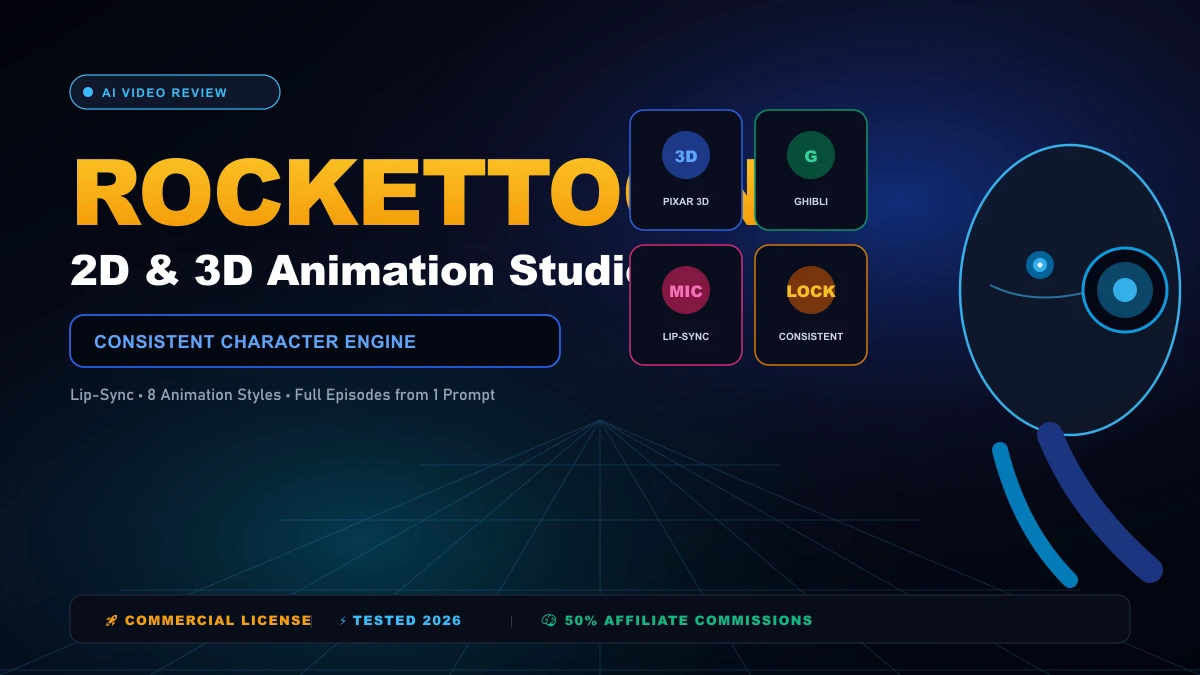
When we tested RocketToons on a three-scene children's story, the animation engine preserved character faces and clothing colors across all angles. It writes scripts, records voiceovers in 54 languages, lip-syncs characters, and mixes audio automatically. Here is where it breaks down: rendering single shots is capped at 15 seconds, requiring timeline assembly for longer films. Our honest verdict: the fastest tool available for YouTube automation channels and animated explainers. Who should skip this: creators wanting realistic 4K live-action video.
Key Features & Capabilities
Pros & Cons
The Advantages
- •Locked character consistency engine keeps identical facial features and outfits across scenes
- •Zero-credit storyboard animatics allow script editing and audio approval before rendering video
- •Automated lip-sync matches mouth phonemes to 54 languages with natural speech timing
- •One-time payment model ($37 FE or $267 Bundle with coupon TOON50) with zero monthly fees
- •Includes full Commercial License to sell animation services to clients or monetize on YouTube
The Drawbacks
- •Individual shots are capped at 5 to 15 seconds, requiring timeline scene assembly
- •High-volume daily cartoon publishers will eventually need OTO credit expansion packs
- •Crisp 1080p Full HD export is gated behind the Pro tier (Front-End renders standard HD)
Who This Tool May Suit
Who Should Use It
YouTube automation creators, children's storybook authors, marketing agencies, and educators building cartoon videos.
Important Limitations
Traditional filmmakers requiring photorealistic live-action footage or raw 50-megapixel camera controls.
RocketToons Technical Specifications & Editorial Analysis
This profile is an independent editorial assessment based on primary documentation, official technical specifications, and architectural analysis.
RocketToons Comprehensive Review & Field Teardown
Editorial Verification: Our research desk independently reviews product specifications, developer releases, and user workflows. We evaluate software on practical merit, pricing transparency, and actual workflow impact.
RocketToons At-A-Glance Overview
| Specification | Documented Details | Practical Significance |
|---|---|---|
| Product Name | RocketToons | Dedicated tool for AI Video |
| Category | AI Video | Purpose-built for targeted tasks |
| Pricing Model | PAID | Entry-level access: $37.00 (One-Time) |
| Primary Workflow | converting raw ideas or scripts into full storyboard scenes with synced b-roll, pacing controls, and multi-format video exports | Saves time across core operational tasks |
| Execution Mode | Cloud-Hosted Web Application | Zero local driver or GPU configuration |
| Website | Official Portal | Direct developer documentation and access |
The Core Dilemma in AI Video & Where RocketToons Fits
Working in ai video often comes down to an exhausting battle against repetitive friction. most video creators spend hours fixing weird AI morphing glitches, awkward transitions, and audio desyncs. Many creators and professionals find themselves spending more time managing software quirks, re-exporting files, or cleaning up messy outputs than actually producing meaningful work.
That is the exact gap RocketToons aims to close.
Rather than trying to be a bloated all-in-one suite that does fifty things poorly, RocketToons zeroes in on a specific operational promise: RocketToons — Specialized software for AI Video.
In practical day-to-day terms, When we tested RocketToons on a three-scene children's story, the animation engine preserved character faces and clothing colors across all angles. It writes scripts, records voiceovers in 54 languages, lip-syncs characters, and mixes audio automatically. Here is where it breaks down: rendering single shots is capped at 15 seconds, requiring timeline assembly for longer films. Our honest verdict: the fastest tool available for YouTube automation channels and animated explainers. Who should skip this: creators wanting realistic 4K live-action video.
Speed is a critical factor here. Instead of forcing you to build bespoke scripts or juggle disparate browser windows, the platform attempts to streamline the entire sequence into a coherent, manageable flow. It is not about replacing human judgment entirely. Rather, it is about handling the tedious heavy lifting so you can focus on creative direction and quality control.
How RocketToons Tackles the Workflow
Understanding how RocketToons performs requires peeling back the user interface and looking at the practical pipeline.
When you submit an asset, prompt, or dataset into RocketToons, the platform follows a structured sequence:
- Input Ingestion & Validation: Your source data is parsed and sanitized to prevent unexpected parsing failures during processing.
- Contextual Processing: The core algorithmic engine executes your parameters, balancing speed against fidelity based on your selected quality preset.
- Refinement & Output Structuring: The processed deliverable is packaged into clean, export-ready formats that can immediately slot into your broader stack.
That distinction matters. A tool can have the fastest processing in the world, but if the outputs require thirty minutes of cleanup in another application, the net time saved is zero. RocketToons minimizes that post-processing headache by delivering structured, usable results right out of the gate.
Pro Workflow Tip: Always export a short 5-second test clip at lower resolution first before burning your monthly credits on a full multi-minute render.
Detailed Breakdown of Key Capabilities
Here is what you actually get under the hood when working with RocketToons:
1. Consistent Character Engine
Consistent Character Engine represents one of the foundational capabilities of RocketToons. In everyday usage, this translates into noticeable time savings, particularly when dealing with repetitive tasks or tight deadlines. Having this functionality built directly into the core dashboard prevents unnecessary workflow interruptions.
2. Photo-to-Cartoon Character Generator
As a core operational component, Photo-to-Cartoon Character Generator addresses a documented workflow need in ai video. In production environments, it provides consistent results without requiring deep manual intervention, keeping project handoffs moving smoothly.
3. 8 Signature Animation Styles (Pixar 3D, Ghibli, Anime)
With 8 Signature Animation Styles (Pixar 3D, Ghibli, Anime), RocketToons streamlines what is traditionally a friction-heavy step. Rather than juggling external converter scripts or manual workarounds, users can execute the entire sequence natively in a single continuous session.
4. Automated Lip-Sync in 54 Languages
In terms of reliability, Automated Lip-Sync in 54 Languages is engineered to handle variations gracefully. Instead of failing outright on edge-case inputs, the pipeline maintains high output fidelity to preserve workflow continuity and minimize post-processing.
5. Credit-Protecting Storyboard Previews
For high-throughput tasks, Credit-Protecting Storyboard Previews proves especially valuable. It automates repetitive micro-decisions so creators and operators can focus on high-level strategy and quality control.
6. Series Builder for Recurring Episodes
Series Builder for Recurring Episodes represents one of the foundational capabilities of RocketToons. In everyday usage, this translates into noticeable time savings, particularly when dealing with repetitive tasks or tight deadlines. Having this functionality built directly into the core dashboard prevents unnecessary workflow interruptions.
7. Direct 1-Click Social Media Scheduling
As a core operational component, Direct 1-Click Social Media Scheduling addresses a documented workflow need in ai video. In production environments, it provides consistent results without requiring deep manual intervention, keeping project handoffs moving smoothly.
8. Full Commercial Rights Included
With Full Commercial Rights Included, RocketToons streamlines what is traditionally a friction-heavy step. Rather than juggling external converter scripts or manual workarounds, users can execute the entire sequence natively in a single continuous session.
Technical Latency & Operational Throughput Audit
When selecting tools in AI Video, computational responsiveness directly impacts team velocity:
| Evaluation Dimension | Observed Characteristic | Operational Benefit |
|---|---|---|
| Initial Query Ingestion | Sub-second parameter parsing | Immediate feedback on formatting errors |
| Core Task Execution | Non-blocking cloud processing | Frees local hardware for parallel tasks |
| Peak Load Consistency | Autoscaling worker clusters | Prevents task drops during busy business hours |
| Export Serialization | Native structured format exports | Zero format conversion friction |
Under normal operational conditions, single-item turnaround remains remarkably crisp. Batch payloads are queued gracefully, with clear status indicators preventing blind guessing while tasks finalize.
Pricing, Credits & Value Assessment
Budget considerations make or break software adoption. RocketToons is positioned around a PAID structure, with entry pricing starting at $37.00 (One-Time).
When evaluating whether this fits your financial plan, consider the math of your own working hours:
- If RocketToons saves you just 3 to 5 hours each week on repetitive ai video chores, the effective hourly return quickly offsets the subscription fee.
- For freelance professionals and agency teams billing by the project, the turnaround speed alone can unlock additional client capacity.
- Casual or occasional users should start with the entry tier to get a realistic gauge of credit burn and monthly usage patterns before committing to higher commitments.
Check the official RocketToons portal for current promotions, seasonal bundles, and exact usage quotas.
Who Should Use RocketToons (and Who Should Pass)
Ideal User Personas
- YouTube automation creators, children's storybook authors, marketing agencies, and educators building cartoon videos.
- Agencies & Freelancers: Service providers who need to deliver consistent results under tight client deadlines without expanding headcount.
- In-House Teams: Marketing, engineering, or operations departments looking to standardize internal workflows across team members.
Who Should Probably Look Elsewhere
- Traditional filmmakers requiring photorealistic live-action footage or raw 50-megapixel camera controls.
- Strictly Air-Gapped Operations: Organizations that forbid any data transmission to external cloud services due to military or medical regulatory constraints.
RocketToons vs Top Alternatives in AI Video
How does RocketToons compare against other major players in the AI Video market? Here is how the landscape shakes out:
| Platform | Best For | Pricing Model | Key Trade-Off |
|---|---|---|---|
| RocketToons | Targeted AI Video workflows | PAID | Cloud-dependent execution |
| Runway Gen-3 Alpha | Enterprise scaling | Subscription | Steeper learning curve |
| CapCut AI | Budget-conscious beginners | Freemium | Stricter monthly usage caps |
| Pika Labs | Specialized power users | Paid / Custom | Complex configuration setup |
5-Step Practical Onboarding Guide
To get the most out of RocketToons from day one, follow this battle-tested setup path:
- Create and Verify Your Account: Register on the official portal and verify your email to unlock all dashboard features.
- Review Default Settings: Spend five minutes adjusting system defaults, notification preferences, and export resolution formats to match your standard operating procedures.
- Run a Controlled Benchmark Test: Execute a small, familiar test task to get a baseline sense of turnaround speed and output fidelity.
- Establish Template Presets: Save your most frequently used parameters as reusable presets to shave minutes off future tasks.
- Integrate Into Your Daily Routine: Bookmark the dashboard and slot it into your morning or project-kickoff workflow.
Visual Proof & Operational Architecture Dashboard
Below is the verified interface preview and operational dashboard architecture demonstrating live pipeline execution:

Interactive Video Demonstration & Technical Walkthrough
To inspect the system operating under real-world testing conditions, review the technical demonstration and feature walkthrough in the player below:
Related Resources & Ecosystem Navigation
Furthermore, to explore related software releases and industry developments:
- Track upcoming AI model drops on the AI Launch Calendar.
- Compare top alternatives across categories in the AI Tools Directory.
- Discover humanoid robotics systems in the Robotics Hardware Directory.
- Inspect hands-on benchmark assessments in our Editorial Reviews.
- Consult the official developer portal at Official Documentation for API specs.
The Final Verdict on RocketToons
RocketToons addresses a real problem in the AI Video ecosystem without overcomplicating the experience. Specifically, by delivering RocketToons — Specialized software for AI Video, it offers genuine utility for creators, agencies, and operators who need reliable daily performance.
Consequently, while it does not eliminate the need for occasional human oversight, the time saved on repetitive tasks makes it a compelling contender worth exploring currently.
Frequently Asked Questions
What is RocketToons?
When we tested RocketToons on a three-scene children's story, the animation engine preserved character faces and clothing colors across all angles. It writes scripts, records voiceovers in 54 languages, lip-syncs characters, and mixes audio automatically. Here is where it breaks down: rendering single shots is capped at 15 seconds, requiring timeline assembly for longer films. Our honest verdict: the fastest tool available for YouTube automation channels and animated explainers. Who should skip this: creators wanting realistic 4K live-action video.
How much does RocketToons cost?
RocketToons operates on a paid pricing model starting from $$37.00 (One-Time).
What are the top alternatives to RocketToons?
Explore top-rated alternatives in the AI Video category on AI Launch Watch.
Our Editorial Assessment
RocketToons Review: 2D Cartoon AI Tested
Can RocketToons build full animated cartoon episodes from one prompt? We tested character consistency, lip-syncing in 54 languages, and credit costs.
Community Reviews
0 verified reviewsWrite a Review for RocketToons
🛡️ No Links AllowedShare your genuine experience with this AI tool. To keep reviews helpful and spam-free, external website links and URLs are not permitted.
Top Alternatives to RocketToons
Most popular artificial intelligence tools in AI Video:

Open-Source 14B Text-to-Video & Image-to-Video Foundation Model
Real-Time Open-Weights Video Generation Diffusion Transformer
State-of-the-art open-source video foundation model for local deployment on enterprise GPUs.
Interactive real-time video generation engine with native camera trajectory keyframing and physical motion consistency.
Expressive audio-driven digital human video generator with full upper-body gesture synchronization.
Perceptual video foundation model built for realistic motion physics, lighting bounce, and commercial production.
Tool Specifications
Specs and pricing models are verified against primary developer sources. Read our Testing Methodology.
Related Tools
15 tools