Building a standout online portfolio used to mean choosing between two frustrating paths: spending weeks hand-coding responsive layouts in React and Tailwind CSS, or wrestling with rigid, bloated page builders that make every freelancer's website look identical. In 2026, generative web design engines have completely changed that equation. Finding the best AI website builder free for portfolio projects now allows UI/UX designers, software engineers, photographers,イラストレーター, and creative directors to go from a plain-text prompt to a live, interactive portfolio in under ten minutes.
However, not all "free" AI website builders are actually usable in the real world. Many tools let you generate a layout with AI, only to hit you with an immediate paywall the moment you try to publish, add a project gallery, or make responsive mobile adjustments. Others slap intrusive pop-up ads across your case studies that ruin your credibility with hiring managers and prospective clients.
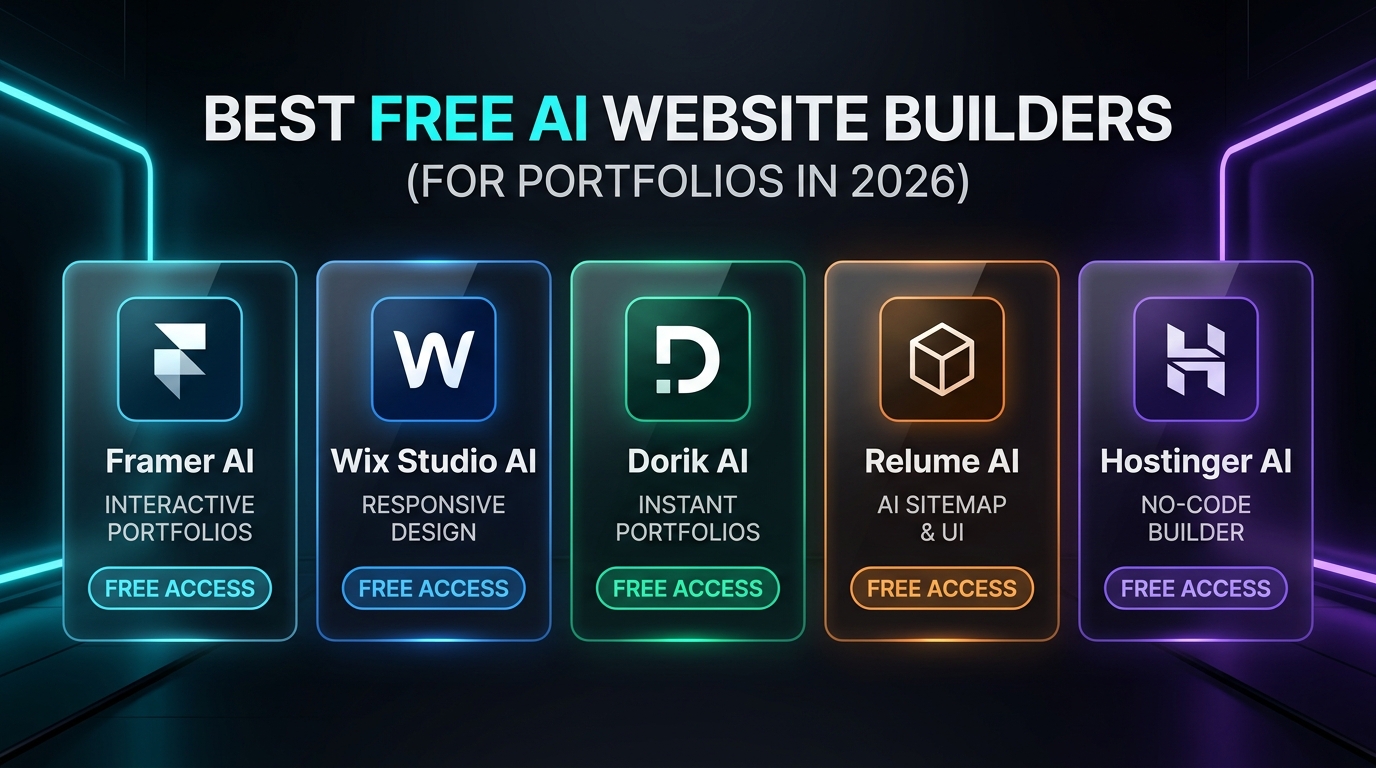
To find out which platforms genuinely deliver agency-grade results at zero cost, we tested over 18 AI web design tools across layout responsiveness, animation quality, CMS capabilities for case studies, Lighthouse performance scores, and free-tier publishing limits. Below is our definitive guide to the best AI website builder free for portfolio sites in 2026—featuring Framer AI, Wix Studio AI, Dorik AI, Relume AI, and Hostinger AI.
Quick Comparison: Top 5 Free AI Portfolio Website Builders (2026)
| Tool Name | Best For | Core AI Capabilities | Free Tier Publishing & Limits | Custom Code / Export |
|---|---|---|---|---|
| Framer AI | UI/UX Designers, Developers & Agencies | Prompt-to-Interactive Site, AI Style Transfer, AI Copy & Localization | Free Forever on .framer.website subdomain, CMS up to 1,000 items | React Component Embeds |
| Wix Studio AI | Visual Creatives, Photographers & Freelancers | Responsive AI Layout Generator, AI Code Assistant, Magic Section Builder | Free Forever on .wixstudio.com subdomain, full visual breakpoints | Full CSS & Velo JS Access |
| Dorik AI | Copywriters, Consultants & Indie Makers | Full Prompt-to-Page Generation, AI Image & Copy Regeneration, Airtable Sync | Free Plan on .dorik.io subdomain, unlimited AI section prompts | Clean HTML/CSS/JS (Paid) |
| Relume AI | Webflow & Figma Designers Planning Case Studies | AI Sitemap Generator, Instant Wireframe Builder, Style Guide System | Free Tier (1 full project sitemap + wireframes, export to Figma/Webflow) | Figma, Webflow & React Export |
| Hostinger AI | Fast All-in-One Portfolio + Resume Setup | Conversational AI Site Builder, AI Heatmap Attention Predictor, SEO Writer | Free Interactive Demo + 30-day risk-free trial ($2.49/mo w/ free domain) | Custom Header/Footer Code |
1. Framer AI — Best Overall Free AI Portfolio Builder for Designers & Developers
If you browse the portfolios of senior product designers at companies like Linear, Vercel, Stripe, or Apple in 2026, there is a high probability their personal site is built on Framer. With Framer AI, the platform combines an intuitive Figma-like freeform canvas with a generative layout engine that builds responsive, animated websites from a single natural-language prompt.
Why Framer AI Dominates Creative Portfolios
Unlike traditional grid-locked builders that rely on static templates, Framer AI dynamically constructs a multi-breakpoint layout (Desktop, Tablet, and Mobile) tailored to your specific creative discipline. When you prompt it with "Create a minimalist dark-mode portfolio for a Senior Full-Stack Engineer & UI Designer featuring a bento-grid project showcase, interactive hover states, and a technical blog," Framer generates a bespoke layout with smooth scroll animations, custom typography pairings, and dark/light theme variables in seconds.
Standout Features
- AI Wireframe & Section Generator: Generate entire hero sections, bento-box skill grids, client testimonial carousels, and interactive case-study layouts on the fly.
- AI Text Rewrite & Tone Polisher: Built-in LLM tools rewrite rough project notes into compelling, metric-driven case studies that catch a recruiter's eye.
- Figma-to-Framer 1-Click Paste: Copy your existing UI mockups directly from Figma and paste them onto the Framer canvas with intact auto-layout constraints.
- Built-In CMS for Case Studies: Manage your portfolio projects inside a relational CMS collection so adding a new case study automatically updates your homepage grid.
- 95+ Google Lighthouse Scores: Framer compiles sites into blazingly fast, server-rendered React pages with automatic WebP image optimization.
Free Plan Verdict
Framer's Free Plan lets you build, customize, and publish an unlimited number of portfolio pages on a clean yourname.framer.website domain with a subtle badge. You only ever need to upgrade if you want to attach a custom .com root domain.
2. Wix Studio AI — Best for Visual Artists, Motion Designers & Responsive Control
While classic Wix was built for small local businesses, Wix Studio AI is a completely re-engineered platform built specifically for professional designers, photographers, and creative agencies. It pairs a CSS Grid-based visual editor with a suite of generative AI layout and coding tools.
Why Wix Studio AI Stands Out
The hardest part of building a visually ambitious portfolio is making complex asymmetrical galleries, sticky scroll sections, and 3D WebGL interactions work smoothly across mobile phones and ultrawide monitors. Wix Studio's Responsive AI solves this with a single click: you design your portfolio section on a desktop canvas, hit the Responsive AI button, and the engine mathematically calculates proportional scaling, flexbox wrapping, and breakpoint overrides for tablet and mobile screens.
Standout Features
- AI Section & Layout Generator: Describe the exact portfolio showcase you need—such as a horizontal-scroll photography reel or an interactive before-and-after retouching slider—and Wix Studio builds it inside your visual tree.
- AI Code Assistant (IDE Built-In): Need custom JavaScript interactions, GSAP scroll triggers, or external API integrations (like pulling your latest GitHub commits or Dribbble shots)? The built-in AI coding assistant writes and debugs the Velo JS and custom CSS for you.
- Zero-Code Scroll & Mouse Effects: Add 3D tilt effects, parallax layers, and cursor-following image previews without writing a single line of code.
- High-Resolution Media Optimization: Automatically converts heavy RAW/PNG artwork and 4K motion reels into adaptive streaming formats that load instantaneously.
Free Plan Verdict
You can create a free Wix Studio workspace, utilize the AI layout and responsive tools, and publish your portfolio on a free subdomain with zero time limits.
3. Dorik AI — Best No-Code AI Builder for Freelancers, Writers & Consultants
Not every professional needs a complex Figma-style canvas. If you are a freelance copywriter, marketing strategist, data analyst, or indie consultant who wants a clean, high-converting portfolio online in under five minutes, Dorik AI is the most streamlined best AI website builder free for portfolio creation.
How Dorik AI Streamlines Portfolio Creation
Dorik AI focuses on end-to-end page generation. When you enter your profession, target audience, and preferred aesthetic (e.g., "Conversion-focused B2B SaaS Copywriter portfolio with case study ROI metrics, service packages, and a Calendly booking embed"), Dorik AI generates not just the visual design, but also surprisingly persuasive, structured portfolio copy and custom AI illustrations.
Standout Features
- Prompt-Based Section Regeneration: Don't like how your "Selected Works" or "About Me" section looks? Highlight the block and prompt Dorik AI to regenerate the layout or rewrite the copy with a single click.
- Airtable & Notion Integration: Easily connect your portfolio grid to an Airtable base so you can add new client projects, articles, or metrics from a spreadsheet without opening the website editor.
- Built-In Technical SEO Controls: Every page includes automatic schema markup, custom OpenGraph preview tags, meta descriptions, and clean semantic HTML structure.
- Password-Protected Case Studies: Need to keep NDA client work private and only share it with vetted hiring managers? Dorik supports password protection on specific pages.
Free Plan Verdict
Dorik's free tier gives you access to the full AI website generator, unlimited AI copy/section regeneration, and instant free hosting on a .dorik.io subdomain.
4. Relume AI — Best AI Sitemap & Wireframe Builder for UX Case Studies
For UX/UI designers, product managers, and Webflow developers, the biggest bottleneck in building a portfolio isn't picking colors—it's structuring compelling case studies and information architecture. Relume AI has become the industry-standard AI workflow tool for designing portfolio architectures before moving into Figma or Webflow.
Why UX Designers Swear by Relume AI
Most portfolio rejections happen because a designer's case studies are just a wall of pretty screenshots without a clear narrative arc (Problem $\rightarrow$ Research $\rightarrow$ Iterations $\rightarrow$ Business Impact). Relume AI acts as an intelligent creative director. You feed it a brief description of your background and projects, and it generates a complete interactive sitemap followed by fully written, component-based wireframes utilizing a library of over 1,000 human-crafted UI components.
Standout Features
- Instant AI Sitemap to Wireframe Pipeline: Watch your entire portfolio—Home, About, Case Study Template, Resume, and Contact page—materialize as high-fidelity wireframes in under 60 seconds.
- Contextual Copywriting Engine: Relume populates every wireframe component with realistic UX case-study frameworks, showing you exactly where to place user personas, usability testing metrics, and final UI prototypes.
- 1-Click Export to Figma, Webflow & React: Once your AI wireframe is ready, copy and paste the entire site directly into Figma (with full Auto Layout and Variables) or Webflow (using the industry-standard Client-First class naming system).
- Live Style Guide Builder: Apply global typography, color tokens, and border-radius styles across every wireframe simultaneously.
Free Plan Verdict
Relume AI offers a permanent free plan that includes 1 complete AI project (full AI sitemap + wireframe generation + Figma copy/paste export), which is all you need to architect and launch your personal portfolio.
5. Hostinger AI Website Builder — Best for Fast All-in-One Portfolio & Resume Sites
If your goal is to combine an AI-built portfolio with an integrated blog, downloadable PDF resume, and a custom .com domain at the lowest possible cost, Hostinger AI Website Builder delivers the fastest turnkey experience in 2026.
Why Hostinger AI Is Ideal for Job Seekers
Hostinger's conversational AI assistant asks three simple questions about your career field, brand personality, and portfolio goals, then constructs a complete, mobile-ready site with pre-configured project galleries and contact forms. What sets Hostinger apart is its AI Heatmap tool, which uses predictive eye-tracking models to show you exactly where a recruiter's eyes will focus in the first 3 seconds of landing on your portfolio.
Standout Features
- AI Attention Heatmap: Visualize high-attention zones on your portfolio hero section so you can place your "Hire Me" CTA and best case study where recruiters actually look.
- AI SEO & Meta Tag Generator: Automatically optimizes your page titles, H1-H3 hierarchy, and image alt attributes so your name ranks #1 on Google when an employer searches for you.
- AI Writer & Logo Maker: Generate a personal monogram logo and crisp project summaries directly inside the drag-and-drop grid editor.
Free Plan Verdict
Hostinger allows you to test the AI builder via an interactive live demo without signing up, and offers a 30-day money-back trial on its ultra-affordable starter plans (which include a free custom domain name).
Step-by-Step Workflow: How to Launch Your Free AI Portfolio in 15 Minutes
Follow this proven 4-step workflow to build a recruiter-ready portfolio today without spending a dime:
`
+-----------------------------------------------------------------------+
| STEP 1: Architect Case Studies (Relume AI / ChatGPT) |
| Structure your top 3 projects into: Problem -> Role -> Solution -> |
| Measurable Impact (e.g., "+38% conversion rate" or "40ms latency"). |
+-----------------------------------+-----------------------------------+
|
v
+-----------------------------------------------------------------------+
| STEP 2: Generate Base Layout (Framer AI / Dorik AI) |
| Enter a detailed prompt specifying your role, aesthetic (e.g., |
| "Swiss minimalist bento grid, dark mode"), and core sections. |
+-----------------------------------+-----------------------------------+
|
v
+-----------------------------------------------------------------------+
| STEP 3: Replace Placeholders & Optimize Media |
| Swap AI stock images with real project mockups, interactive Loom/ |
| MP4 video walkthroughs, and live GitHub or Figma prototype embeds. |
+-----------------------------------+-----------------------------------+
|
v
+-----------------------------------------------------------------------+
| STEP 4: Audit Mobile Breakpoints & Publish Free |
| Run Responsive AI checks on mobile viewports, add custom OpenGraph |
| social preview cards, and hit Publish on your free subdomain. |
+-----------------------------------------------------------------------+
`
Pro Prompt Template for Your AI Portfolio Generator
Copy and customize this exact prompt when generating your portfolio in Framer AI, Dorik AI, or Wix Studio AI:
"Build a modern, high-contrast personal portfolio website for a [Your Role, e.g., Full-Stack Developer & AI Engineer]. Use a clean bento-grid layout with a dark obsidian background (`#0B0F17`), crisp white headings, and subtle electric indigo accents (`#6366F1`). Include: (1) A hero section with a bold value proposition, availability status badge, and CTA buttons for 'View Projects' and 'Download Resume'; (2) A Featured Case Studies grid with tags for tech stack and measurable business outcomes; (3) An interactive skills & tooling matrix; (4) A concise 'About & Experience' timeline; and (5) A minimalist footer with direct email, GitHub, and LinkedIn links."
Frequently Asked Questions (FAQ)
1. What is the #1 best AI website builder free for portfolio sites in 2026?
Framer AI is the #1 overall choice for designers, developers, and creative professionals. It offers unmatched layout freedom, smooth native animations, a built-in CMS for case studies, and free forever hosting on a .framer.website subdomain. If you prefer a simpler prompt-to-page setup without a Figma-like learning curve, Dorik AI is the best alternative.
2. Can I publish my AI-generated portfolio for free without a credit card?
Yes. Framer AI, Wix Studio AI, and Dorik AI all allow you to sign up, generate your portfolio with AI, customize every section, and publish live to the web on a free subdomain without entering credit card details.
3. Does using a free .framer.website or .dorik.io subdomain hurt my chances with recruiters?
For developers, UI/UX designers, and students, using a .framer.website, .wixstudio.com, or .github.io URL is completely normal and widely respected by tech hiring managers. In fact, having a live .framer.website portfolio signals that you know how to use modern design-engineering tools.
4. Can I export the code from an AI website builder to host on GitHub Pages or Vercel?
If you want raw code export, Relume AI allows you to export AI-generated wireframes into React/HTML components (on higher tiers) or directly into Figma, while Dorik supports clean HTML/CSS/JS export on its paid tiers. Alternatively, you can pair Relume AI's free wireframe planning with v0 by Vercel or Bolt.new to generate a Next.js portfolio and deploy it for free on Vercel.
5. What makes a portfolio stand out to hiring managers in 2026?
While AI can build your layout in 60 seconds, hiring managers look for authentic proof of work. Replace generic AI placeholder text with specific metrics, show messy intermediate iterations or architectural trade-offs, and include 15-second auto-playing MP4/WebM video clips demonstrating your product or code in action.
Final Verdict: Which Free AI Portfolio Builder Should You Choose?
- Choose [Framer AI](/ai-tools/framer-ai) if you want a sleek, interactive, agency-caliber portfolio with buttery-smooth animations and a built-in CMS for case studies.
- Choose [Wix Studio AI](/ai-news/best-ai-tools-to-build-a-website-2026) if you are a visual artist, photographer, or motion designer who needs advanced CSS Grid control and one-click Responsive AI scaling.
- Choose [Dorik AI](/ai-news/best-ai-tools-to-build-a-website-2026) if you want the fastest prompt-to-published portfolio with persuasive AI copywriting for freelance services.
- Choose [Relume AI](/ai-news/best-ai-tools-to-build-a-website-2026) if you want to architect bullet-proof UX case studies and export them directly into Figma or Webflow.
- Choose [Hostinger AI](/ai-news/best-ai-tools-to-build-a-website-2026) if you want an ultra-fast, beginner-friendly portfolio paired with AI eye-tracking heatmaps.