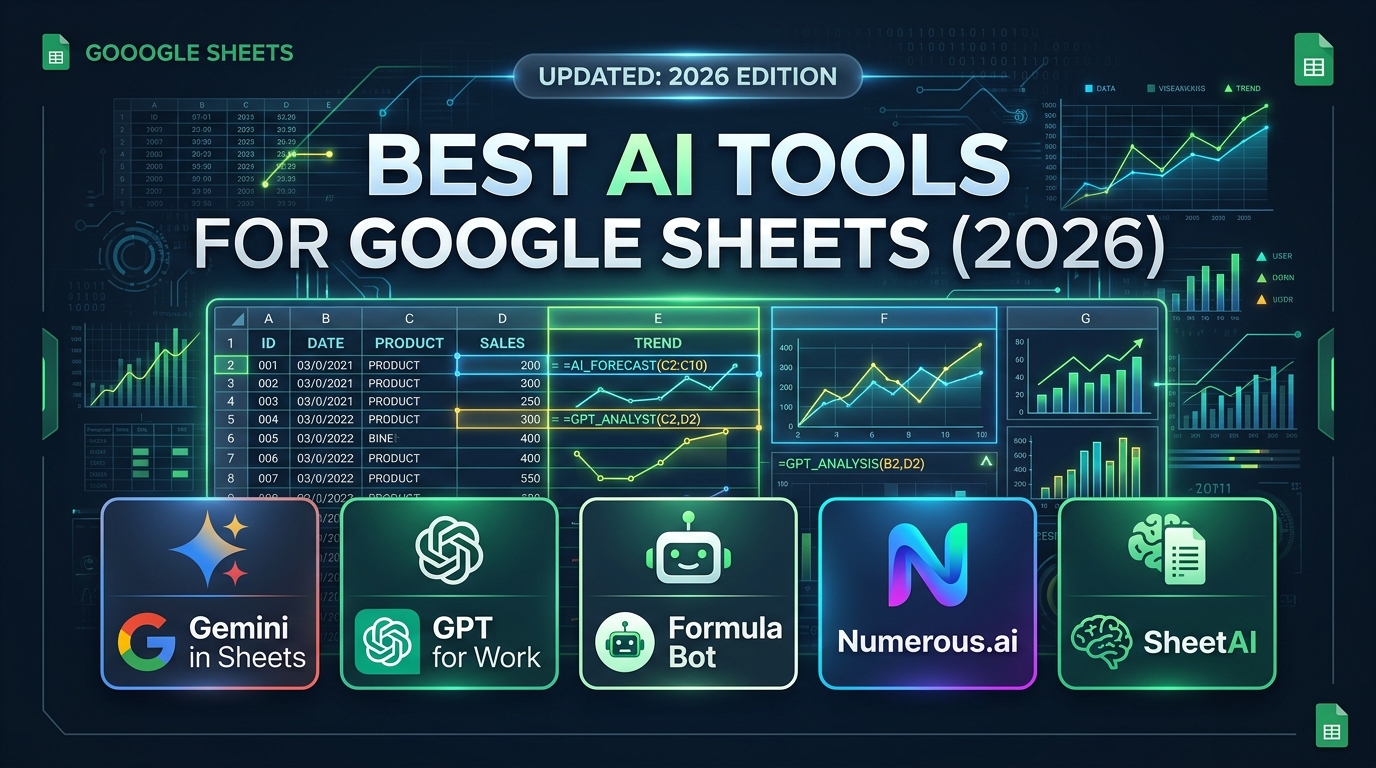
Spreadsheets are the operational backbone of modern business, yet professionals spend thousands of hours every year writing nested VLOOKUP or INDEX/MATCH functions, cleaning messy client lists, manually extracting invoice dates, and writing complex Google Apps Script macros. With recent advances in frontier language models and spreadsheet add-ons, the [best AI tools for Google Sheets](/categories/ai-productivity) can now generate formulas from natural language, categorize thousands of rows in parallel, extract regex entities automatically, and sync live business data without code.
Whether you manage financial models, marketing outreach databases, e-commerce inventories, or academic research datasets, selecting the right AI spreadsheet assistant can save dozens of manual hours every week. This benchmark guide evaluates the top AI tools for Google Sheets in 2026 based on formula accuracy, execution latency, enterprise security, pricing models, and workflow capabilities.
Quick Verdict: Which Google Sheets AI Tool Should You Use?
- Best for Native Google Workspace Users: Gemini in Google Sheets (smooth, zero-add-on setup with enterprise data governance).
- Best for Bulk Cell Processing & Power Users: GPT for Work (GPT for Sheets & Excel) (unmatched flexibility with custom API keys and multi-model support).
- Best for Beginners & Formula Generation: Formula Bot (exceptional natural-language-to-formula translator with error diagnostics).
- Best for E-Commerce & Text Automation: Numerous.ai (blazing-fast
=INFER(), sentiment analysis, and batch categorization). - Best for Live Enterprise Database Syncing: Coefficient AI (connects Salesforce, HubSpot, SQL, and Postgres with autonomous AI alerts).
Master Comparison Table: Top AI Tools for Google Sheets (2026)
| Tool Name | Best For | Model Engines | Starting Price | Custom API Key Required? | Enterprise Privacy (SOC 2 / Zero Retention) |
|---|---|---|---|---|---|
| Gemini in Sheets | Native Workspace workflows | Gemini 1.5 Pro / Flash | Included in Workspace AI ($20/mo) | No (Native Google Cloud) | Yes (Google Workspace Enterprise Privacy) |
| GPT for Work | Bulk cell batching & custom prompts | GPT-4o, Claude 3.5 Sonnet, Mistral | Free tier (Pay-as-you-go via OpenAI/Anthropic) | Yes (BYO-Key or Credits) | Yes (Zero-day API data retention) |
| Formula Bot | Formula generation & troubleshooting | Proprietary fine-tuned LLM | Free (5/mo) / $9/mo Unlimited | No | Yes (Encrypted transit, no model training) |
| Numerous.ai | E-commerce copywriting & categorization | GPT-4o Mini / Claude 3 Haiku | Free trial / $10/mo | No (Managed tokens) | Standard SOC 2 Type II compliant |
| SheetAI.app | Content generation & list expansion | GPT-4o / DALL-E | Free (10 calls) / $8/mo | Optional (Managed or BYOK) | Standard API security |
| Coefficient AI | CRM, SQL & business intelligence sync | Multi-model agent pipeline | Free tier / $49/mo Team | No (Managed enterprise) | Enterprise SOC 2 Type II, HIPAA eligible |
In-Depth Analysis: The 6 Best AI Tools for Google Sheets
1. Gemini in Google Sheets (Google Workspace Native)
For corporate teams already operating within the Google Workspace ecosystem, Gemini in Sheets provides the smoothest zero-configuration experience. There are no third-party extensions to install, no browser permissions to approve, and no external API tokens to manage.
Core Capabilities:
- "Help Me Organize" Side Panel: Simply prompt Gemini with "Create a project tracker for a 6-month product launch with milestones, assignees, status pills, and budget columns", and it automatically builds the structured sheet with data formatting in seconds.
- Enhanced Smart Fill: Gemini detects complex data transformation patterns across unstructured text (such as separating full names, extracting telephone area codes, or categorizing email domains) and auto-populates subsequent rows without formulas.
- Contextual Understanding: Gemini comprehends table schemas natively, generating accurate cross-tab summaries and pivot suggestions based on your document's internal metadata.
Best For:
Organizations with strict enterprise compliance mandates that prohibit installing external third-party Google Workspace Marketplace add-ons.
2. GPT for Work (GPT for Sheets & Excel by Talarian)
With over 3 million marketplace installs, GPT for Work by Talarian is the undisputed gold standard for analytical power users. Instead of confining AI to a sidebar chatbot, it embeds custom spreadsheet formulas directly into cell grids.
Signature Formula Functions:
=GPT("prompt", value): Prompts the model directly from a cell reference.=GPT_FILL(examples_range, target_range): Learns from a small sample of cleaned cells and applies the logic across 50,000 rows.=GPT_EXTRACT(text, "entity"): Pulls email addresses, tax IDs, SKU codes, or currency amounts cleanly out of messy text strings.=GPT_FORMAT(text, "ISO 8601"): Standardizes irregular date formats, address formats, or casing conventions.=GPT_WEB("query"): Retrieves live web snippets directly into the grid.
`
+---+----------------------------+-------------------------------------+
| | A | B |
+---+----------------------------+-------------------------------------+
| 1 | Raw Customer Feedback | Sentiment & Category (Formula) |
| 2 | "App keeps crashing on v2" | =GPT("Classify sentiment", A2) |
| 3 | "Fast delivery, loved it!" | =GPT("Classify sentiment", A3) |
+---+----------------------------+-------------------------------------+
`
Why Power Users Love It:
GPT for Work allows you to connect your own OpenAI or Anthropic API keys directly. This means you only pay raw token costs (often pennies per 10,000 rows when using gpt-4o-mini or claude-3-5-haiku) rather than exorbitant monthly SaaS markups.
3. Formula Bot (Formerly ExcelFormulaBot)
For users who dread deciphering complex formula syntax, Formula Bot acts as an expert spreadsheet translator. It handles two critical tasks flawlessly: Text-to-Formula and Formula-to-Explanation.
Key Features:
- Instant Formula Creation: Enter "Calculate the 3-month rolling weighted average of column D only if column B equals 'Retail' and column C is after March 1, 2026", and Formula Bot instantly provides the exact
=SUMPRODUCT(...)formula ready to copy. - Formula Error Debugger: Paste broken
#VALUE!,#REF!, or#N/Aformulas into the assistant to get an immediate diagnosis of circular references, mismatched array dimensions, or text-formatted numbers. - Google Apps Script Generator: Builds complete automated macros (such as auto-emailing PDF summaries every Friday at 5 PM) with zero coding experience.
Best For:
Marketers, financial analysts, and administrative managers who know what calculations they need to achieve but do not want to spend hours reading Excel formula syntax documentation.
4. Numerous.ai
Designed specifically for high-velocity e-commerce operators, agencies, and content teams, Numerous.ai focuses on ultra-fast batch cell processing.
Key Highlights:
- The `=INFER()` Super-Function: Teaches the sheet how to think with 2–3 rows of examples. It can generate product descriptions, categorize inventory by department, reformat addresses, or predict lead scoring without writing elaborate prompts.
- Bulk Content Creation: Write 500 unique Amazon bullet points or Meta ad captions directly in the spreadsheet by referencing variable columns (Price, Brand, Features, Tone).
- Fast Execution Engine: While typical add-on formulas suffer from Google Sheets 30-second cell timeout limits, Numerous.ai manages batch background queueing to process thousands of entries without crashing the document.
5. SheetAI.app
SheetAI simplifies creative copywriting, translation, and generative ideation inside Google Sheets.
Standout Capabilities:
=SHEETAI_BRAINSTORM(): Generates creative marketing angles, email subject lines, or blog titles based on row parameters.=SHEETAI_IMAGE(): Creates visual image assets directly within cell cells using generative diffusion models, ideal for rapid product mockup tables.- Multi-language translation across 40+ dialects with localized tone adaptation.
6. Coefficient AI
While other tools focus on text processing inside static sheets, Coefficient solves the bigger enterprise challenge: connecting live company data into Google Sheets with autonomous AI agents.
Key Features:
- Live Two-Way Database Sync: Connects Google Sheets directly to Salesforce, HubSpot, Stripe, PostgreSQL, BigQuery, Snowflake, and Google Analytics 4.
- Text-to-SQL Builder: Ask "Show me all churned enterprise subscriptions from Q3 grouped by industry", and Coefficient auto-generates the database query and populates the spreadsheet in real time.
- Autonomous Slack & Email Alerts: Sets automated AI monitors that notify your team whenever a KPI threshold (such as daily refund rates exceeding 3%) is breached.
How to Set Up AI in Google Sheets in 3 Simple Steps
Getting started with AI in Google Sheets takes less than two minutes:
- Install from Google Workspace Marketplace: Open any Google Sheet, navigate to Extensions → Add-ons → Get add-ons, and search for your preferred tool (e.g., GPT for Sheets or Formula Bot).
- Authorize Permissions: Click Install and approve Google Workspace account access. Ensure your organization allows third-party extensions.
- Configure API Keys or Log In: Open Extensions → [Tool Name] → Launch/Settings. For pay-as-you-go tools like GPT for Work, paste your OpenAI or Anthropic API key in the configuration modal. You can immediately begin entering formulas like
=GPT("Translate to Spanish", A2)into any cell.
Data Privacy & Enterprise Security: What You Must Know
When processing sensitive financial records, employee directories, or customer databases with spreadsheet AI, data hygiene is critical:
- Zero-Retention API Contracts: When using custom API keys (e.g., via OpenAI Enterprise or Anthropic API through GPT for Work), your data is not used to train public foundation models, and prompt logs expire according to strict 30-day enterprise compliance windows.
- Never Hardcode Secret Keys: Always store API keys in the extension's secure modal rather than pasting raw keys into spreadsheet formulas or sharing documents with collaborators.
- PII Scrubbing: Avoid sending unencrypted sensitive data (such as social security numbers, medical records, or raw payment details) through public web extensions. Utilize local masking formulas before triggering AI categorization.
Frequently Asked Questions (FAQ)
Is Gemini AI free in Google Sheets?
Gemini in Google Sheets is available for users subscribed to Google Workspace with a Gemini Business or Gemini Enterprise add-on license (typically starting at $20/user/month). Personal Google accounts have access to select generative features during trial rollouts.
Can AI generate complex Google Sheets formulas accurately?
Yes. Modern models like GPT-4o, Claude 3.5 Sonnet, and Gemini 1.5 achieve over 95% accuracy on common spreadsheet operations including INDEX/MATCH, XLOOKUP, QUERY(), and regex extractions. For multi-nested formulas, breaking prompts into clear criteria produces reliable, error-free results.
Does running AI formulas slow down Google Sheets?
If you have 10,000 active =GPT(...) cells running simultaneously, Google Sheets will hit formula calculation quotas and slow down. Best practice is to run AI batch calculations once, copy the resulting column, and use Edit → Paste Special → Values Only to lock in outputs and prevent unnecessary recalculations.
Which AI tool for Google Sheets is best for complete beginners?
Formula Bot is the easiest tool for non-technical beginners. It provides a simple conversational interface where you explain what you want in plain English, and it outputs the exact formula with step-by-step guidance on which cells to reference.
Explore More AI Software & Tools on AI Launch Watch
- [Top AI Productivity Tools](/categories/ai-productivity) — Discover modern workplace automation and productivity software.
- [Free AI Research Tools Guide](/ai-news/free-ai-tools-for-research) — The best academic literature and data analysis platforms.
- [Best Free AI Autonomous Agents](/ai-news/best-ai-agents-free-autonomous-tools) — Compare autonomous agents for coding and workflow execution.
- [Browse All AI Tools Directory](/ai-tools) — Explore over 1,000+ verified artificial intelligence applications.